Задача обработки сущностей
Обзор
Задача обработки сущностей (Entity Data Task) — особый тип сервисной задачи, который выполняет операции с сущностями Jmix в процессе. Для работы с данными ее удобнее использовать, чем обычную сервисную задачу. Она позволяет загружать сущности из базы данных, изменять их и создавать новые.
Задача обработки сущностей изображается как прямоугольник со скругленными углами и небольшим значком базы данных в левом верхнем углу.
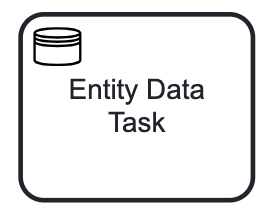
| Задача обработки сущностей — расширение, специфичное для Jmix, поэтому другие инструменты моделирования BPMN ее не поддерживают. При экспорте модели она заменяется стандартной сервисной задачей, но ее свойства в XML сохраняются. |
XML-представление задачи обработки сущностей зависит от ее типа. Примеры см. в описаниях соответствующих типов задачи.
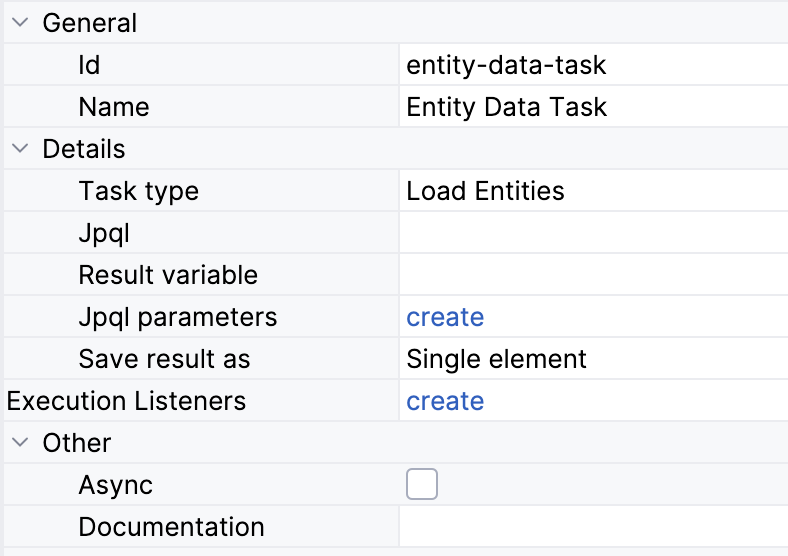
Вот только что созданная задача обработки сущностей; по умолчанию это задача Load entity.
    <serviceTask id="entity-data-task" name="Entity Data Task"
        flowable:type="jmix-load-entities-jpql">
      <extensionElements />
    </serviceTask>
Свойства
В моделере BPMN можно задать следующие свойства задачи обработки сущностей:
Свойство |
Описание |
Id |
Идентификатор элемента. Он генерируется автоматически, но его можно заменить на более понятный, чтобы логи было проще читать. |
Name |
Имя задачи, не более 255 символов. Обычно задачи называют по схеме «глагол + объект», например «Согласовать заказ» или «Отправить счет». |
Task type |
Операция, которую выполняет задача. Поля ниже зависят от выбранного типа. См. Типы задачи обработки сущностей. |
JPQL query, JPQL query parameters |
Запрос для типа Load entities. См. Загрузка сущностей. |
Entity name |
Сущность, которую нужно создать или изменить, для типов Create entity и Modify entity. См. Создание сущностей и Изменение сущностей. |
Process variable |
Переменная процесса с изменяемой сущностью для типа Modify entity. См. Изменение сущностей. |
Result variable |
Переменная, в которой сохраняются загруженные сущности или созданная сущность, для типов Load entities и Create entity. См. Результат загрузки. |
Save result as |
Single element или Collection для типа Load entities. См. Результат загрузки. |
Entity attributes |
Значения атрибутов изменяемой или создаваемой сущности. См. Задание атрибутов. |
Execution listeners |
См. Слушатели выполнения. |
Asynchronous execution |
Обновлено в Jmix 3.1 |
Documentation |
Описание и дополнительные сведения об элементе. |
|
У задачи обработки сущностей нет свойств множественного экземпляра. Но ее можно использовать внутри встроенного подпроцесса, который выполняется как множественный экземпляр. См. раздел Множественный экземпляр. |
Типы задачи обработки сущностей
Задача может выполнять одно из следующих действий:
| Чтобы удалить сущность, используйте сервисную задачу и вызовите метод, который удаляет ее с помощью DataManager. |
Загрузка сущностей
Чтобы загрузить сущности, выберите тип задачи Load Entities на панели свойств. Затем задайте JPQL query и при необходимости переменную результата.
Параметры JPQL-запроса
Параметры условий WHERE и ORDER BY можно задать прямо в теле запроса, например:
select s from smpl_Order s where s.amount < 500
Но часто значения параметров нужно задавать извне, то есть во время выполнения. Для этого создайте именованные параметры:
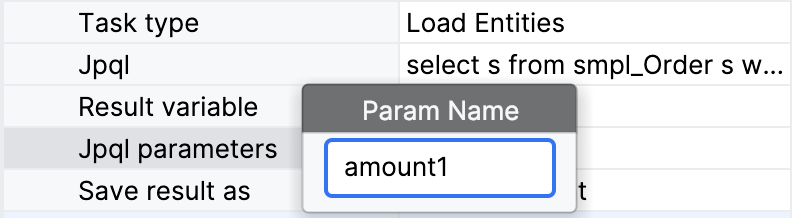
| Имя создаваемого параметра должно совпадать с именем параметра в запросе. Автоматической проверки нет. |
Значения параметров можно передать в процесс двумя способами:
-
Переменная процесса
-
Выражение
Результат загрузки
Чтобы использовать результат загрузки дальше в процессе, задайте Result variable. Можно ввести имя существующей переменной процесса или произвольное имя — тогда будет создана новая переменная.
Если уже есть переменная процесса с таким именем, но другого типа, она будет перезаписана. Тип переменной результата определяется типом результата запроса.
Кроме того, в поле Save result as можно выбрать один из двух вариантов в зависимости от ожидаемого результата запроса: Single element или Collection.
XML-представление
В XML задача загрузки сущностей объявляется как сервисная задача с собственным типом flowable:type.
<serviceTask id="load-orders-task" name="Load orders"
flowable:type="jmix-load-entities-jpql"> (1)
<extensionElements>
<flowable:field name="jpql"> (2)
<flowable:string>select s from smpl_Order s where s.amount > :amount1</flowable:string>
</flowable:field>
<flowable:field name="resultVariable">
<flowable:string>order</flowable:string> (3)
</flowable:field>
<flowable:field name="saveLoadResultAs">
<flowable:string>collection</flowable:string> (4)
</flowable:field>
<flowable:field name="jpqlParameters"> (5)
<flowable:string>[{"name":"amount1","valueType":"processVariable","value":"targetAmount"}]</flowable:string>
</flowable:field>
</extensionElements>
</serviceTask>| 1 | объявление задачи загрузки данных |
| 2 | тело JPQL-запроса |
| 3 | имя переменной результата |
| 4 | тип результата |
| 5 | параметры запроса в формате JSON |
Изменение сущностей
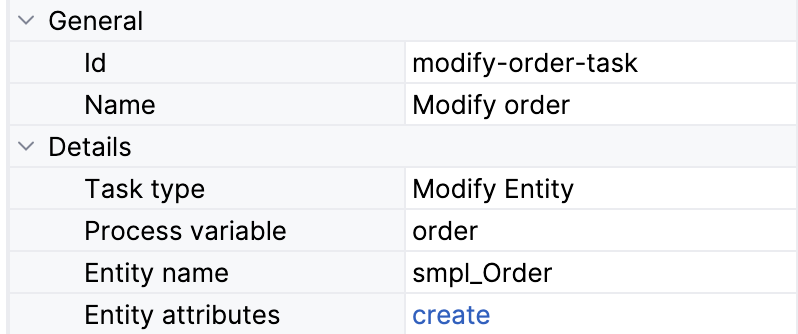
Можно изменить сущность, которая хранится в одной из существующих переменных процесса. Тип сущности определяется автоматически, и все несистемные атрибуты доступны для изменения.
Также переменную процесса можно указать напрямую, введя ее имя. Это нужно, если переменной нет в списке, например если она создается из кода в сервисной задаче или получена как результат загрузки сущности другой задачей обработки сущностей.
Задание атрибутов
Значение атрибута можно задать одним из следующих способов:
-
Значение
-
Выражение
-
Бин Spring
Вариант с бином Spring по умолчанию отключен. Чтобы включить его, задайте следующее свойство приложения:
jmix.bpm.data-task-spring-bean-entity-attribute-enabled=true
XML-представление
В XML задача изменения сущностей объявляется как сервисная задача с собственным типом flowable:type.
Атрибуты изменяемой сущности передаются в формате JSON.
<serviceTask id="modify-order-task" name="Modify order"
    flowable:type="jmix-modify-entity"> (1)
  <extensionElements>
    <flowable:field name="entityName">
      <flowable:string>smpl_Order</flowable:string> (2)
    </flowable:field>
    <flowable:field name="processVariable">
      <flowable:string>order</flowable:string> (3)
    </flowable:field>
    <flowable:field name="entityAttributes">
      <flowable:string>[{"name":"approvalDate","valueType":"directValue"}]</flowable:string> (4)
    </flowable:field>
  </extensionElements>
</serviceTask>| 1 | объявление типа задачи |
| 2 | определение класса сущности |
| 3 | определение переменной результата |
| 4 | атрибуты сущности в формате JSON |
Создание сущностей
Чтобы создать сущность, выберите имя сущности в списке. Все несистемные атрибуты можно задать с помощью BPMN Inspector.
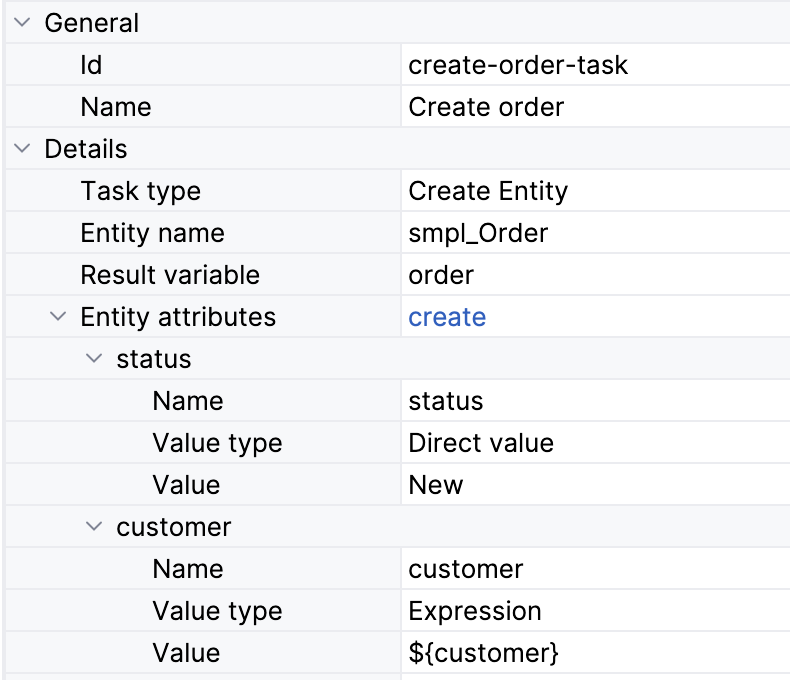
Если эта сущность понадобится дальше в процессе, задайте параметр Result variable.
XML-представление
В XML задача создания сущностей объявляется как сервисная задача с собственным типом flowable:type.
Атрибуты создаваемой сущности передаются в формате JSON.
<serviceTask id="create-order-task" name="Create order"
    flowable:type="jmix-create-entity"> (1)
  <extensionElements>
    <flowable:field name="entityName">
      <flowable:string>smpl_Order</flowable:string> (2)
    </flowable:field>
    <flowable:field name="resultVariable">
      <flowable:string>order</flowable:string> (3)
    </flowable:field>
    <flowable:field name="entityAttributes">
      <flowable:string>[{"name":"status","valueType":"directValue","value":"New"},{"name":"customer","valueType":"expression","value":"${customer}"}]</flowable:string> (4)
    </flowable:field>
  </extensionElements>
</serviceTask>| 1 | объявление типа задачи |
| 2 | определение класса сущности |
| 3 | определение переменной результата |
| 4 | атрибуты сущности в формате JSON |